

Hyundai Bluelink Explained: Remote Start, Connected Features, and Everyday Convenience
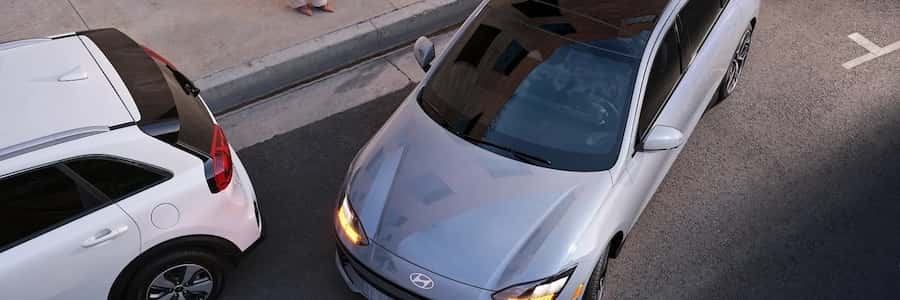
Parking under the intense South Florida sun at Delray Municipal Beach often means returning to a cabin that feels like an oven. Hyundai Bluelink completely changes this experience by allowing you to control your vehicle from your smartphone before you even step onto the hot pavement. This advanced connectivity suite integrates remote access, vehicle security, and real-time diagnostics into a single interface, ensuring your vehicle is prepared for the road ahead.
The system operates via an embedded cellular modem, linking your vehicle directly to the MyHyundai smartphone application. Whether you are finishing up lunch along Atlantic Avenue or packing up after a day on the water, a few taps on your phone can cool down your vehicle, lock the doors, or help you locate your car in a crowded parking lot.
If you are ready to experience this technology firsthand, you can get directions to our showroom at 655 Ne 6th Ave, Delray Beach, FL 33483. Our team is prepared to demonstrate how these connected features operate during a test drive. For immediate questions about model availability or setup, feel free to give us a quick call today.
Understanding the Fundamentals of Hyundai Connected Car Technology
Hyundai Bluelink functions as a comprehensive digital bridge between your smartphone, smartwatch, and vehicle. It utilizes the robust Verizon Wireless cellular network to transmit commands and receive status updates. Because the system relies on cellular infrastructure rather than short-range Bluetooth, you can communicate with your vehicle from virtually anywhere, provided both your phone and the car have cellular reception.
When you send a command through the MyHyundai app, the signal travels through secure cloud servers directly to the embedded modem in your vehicle. This architecture allows for a wide array of convenient operations:
- Remote Engine Start with Climate Control to pre-condition the cabin.
- Remote Door Lock and Unlock to secure your vehicle from afar.
- Real-Time Vehicle Diagnostics to monitor critical powertrain systems.
- Geofencing and Speed Alerts to keep track of your vehicle when others are driving.
- Smartwatch Integration compatible with Apple Watch and Wear OS by Google.
This technology is standard on a vast majority of new models, making it easier than ever to manage your vehicle. To make purchasing one of these tech-forward models seamless, you can apply for financing online before visiting our showroom to explore our current inventory.
Comparing the Original Bluelink System with the Lifetime Bluelink Plus Suite
Hyundai has evolved its connectivity offerings to provide even greater value to buyers. Traditional Bluelink systems, found on older models, typically included a complimentary trial period, after which owners had to pay a monthly subscription fee to maintain access to remote services, safety features, and navigation updates.
The introduction of Bluelink+ represents a major shift in the industry’s approach to connected services. Standard on 2024 and newer Hyundai models, Bluelink+ provides the entire suite of connected features for the lifetime of the vehicle to the original owner, completely eliminating subscription fees. This means you get lifetime access to remote start, door lock control, and vehicle health monitoring at no extra cost.
To help you secure a model equipped with this lifetime benefit, we make it simple to apply for financing through our secure online portal. Our finance team works with a variety of lenders to structure a plan that fits your budget.
Remote Start and Climate Management for Hot South Florida Summers
Sustained high ambient temperatures require smart cabin management. On a typical summer afternoon, interior temperatures can spike rapidly, putting a heavy load on your air conditioning system and your passengers.
With remote climate control, you can start the engine of your vehicle and set the cabin temperature to your exact preference before you leave the house. The system allows you to adjust the fan speed, activate the defroster, and even turn on the ventilated seats on equipped trims. For safety and security, the engine will run for up to 10 minutes before automatically shutting off if the key fob is not detected inside the cabin.
This feature is especially beneficial for preserving the longevity of your interior materials and protecting sensitive electronics from extreme heat. By pre-cooling the cabin, you also reduce the initial thermal shock to the powertrain, allowing the vehicle to operate more efficiently from the moment you put it in drive.
Essential Connected Features for Electric Vehicle Charging and Smart Navigation
For drivers transitioning to electrified power, the MyHyundai app becomes an essential tool for managing charging schedules and locating public charging infrastructure. If you are shopping for an efficient commuter vehicle, you can explore our new Hyundai hybrids and EVs to find a model that fits your lifestyle.
The connected system allows EV owners to monitor battery state-of-charge, start or stop charging sessions remotely, and set charging limits to protect battery health. Additionally, the in-car navigation system and the smartphone app can locate nearby charging stations, display real-time plug availability, and send the optimal route directly to your vehicle’s screen.
These capabilities are fully integrated into our diverse lineup of family vehicles and commuter cars. Whether you are interested in the spacious new Hyundai Palisade inventory, the versatile new Hyundai Santa Fe inventory, or the highly efficient new Hyundai Tucson inventory, you will find advanced navigation and remote features tailored to your daily driving needs.
Engine & Performance
Powertrain specs by trim
| Feature | Blue SE | Limited | SE | SEL | SEL Convenience | SEL Plus | SEL Premium | XRT |
|---|---|---|---|---|---|---|---|---|
| Engine | 1.6L | 2.5L | 2.5L | 2.5L | 1.6L | 2.5L | 2.5L | 2.5L |
| Horsepower | 231 hp | 187 hp | 187 hp | 187 hp | 231 hp | 187 hp | 187 hp | 187 hp |
| Torque | 271 lb-ft | 178 lb-ft | 178 lb-ft | 178 lb-ft | 271 lb-ft | 178 lb-ft | 178 lb-ft | 178 lb-ft |
| Transmission | 6-speed automatic | 8-speed automatic | 8-speed automatic | 8-speed automatic | 6-speed automatic | 8-speed automatic | 8-speed automatic | 8-speed automatic |
| Drivetrain | All-wheel drive | Front-wheel drive | Front-wheel drive | Front-wheel drive | All-wheel drive | Front-wheel drive | Front-wheel drive | Front-wheel drive |
Fuel Economy
Fuel economy and range by trim
| Feature | Blue SE | Limited | SE | SEL | SEL Convenience | SEL Plus | SEL Premium | XRT |
|---|---|---|---|---|---|---|---|---|
| MPG | 38 city / 38 hwy / 38 combined | 25 city / 33 hwy / 28 combined | 25 city / 33 hwy / 28 combined | 25 city / 33 hwy / 28 combined | 25 city / 33 hwy / 28 combined | 25 city / 33 hwy / 28 combined | 25 city / 33 hwy / 28 combined | 25 city / 33 hwy / 28 combined |
Answers to Common Questions About Hyundai Connected Services
When shopping for a new vehicle, buyers often have questions about how these advanced systems operate in real-world scenarios. We want to ensure you have all the details necessary to make an informed decision when you learn about our dealership and our commitment to customer service.
Q: Does the entry-level Hyundai Elantra have remote start?
Yes, even the entry-level trims of the Elantra support remote engine start. When equipped with Bluelink, you can utilize the MyHyundai smartphone application to start the engine, lock or unlock the doors, and set the climate control from your phone, providing premium convenience on an affordable sedan.
Q: Can I use Bluelink if my key fob battery is completely dead?
Yes, you can still unlock your vehicle using the MyHyundai app on your phone. However, because of vehicle security protocols, you cannot start the physical ignition using only the app once you are inside. In this scenario, you must hold the dead key fob directly against the engine start button to override the system and turn on the vehicle.
Q: Does Bluelink+ include Wi-Fi hotspot capability?
Yes, Bluelink+ supports in-vehicle Wi-Fi hotspot capability on equipped models. This feature allows passengers to connect multiple devices to a high-speed internet connection while on the move. Please note that while the capability is built into the system, the actual data plan is sold separately through Verizon.
Q: Does Hyundai Bluelink work if my phone is far away from the car?
Yes, because the system relies on cellular networks rather than a localized Bluetooth connection, you can control your vehicle from anywhere in the country. As long as your smartphone has an active cellular or internet connection and your vehicle is parked in an area with cellular reception, your remote commands will execute successfully.
Q: What happens to Bluelink when I sell or trade in my vehicle?
When you trade in or sell your vehicle, the connected services subscription must be deactivated from your MyHyundai account. Our sales team can assist you with this transition during the trade-in process, ensuring your personal data is wiped from the vehicle’s infotainment system and the connection is safely transferred to the next owner.
0 comment(s) so far on Hyundai Bluelink Explained: Remote Start, Connected Features, and Everyday Convenience